Hot Take - Learn Async Programming before LangChain and LangGraph
I heard you are building production-grade AI applications with LangChain and LangGraph. If yes, I highly recommend learning Async Programming.
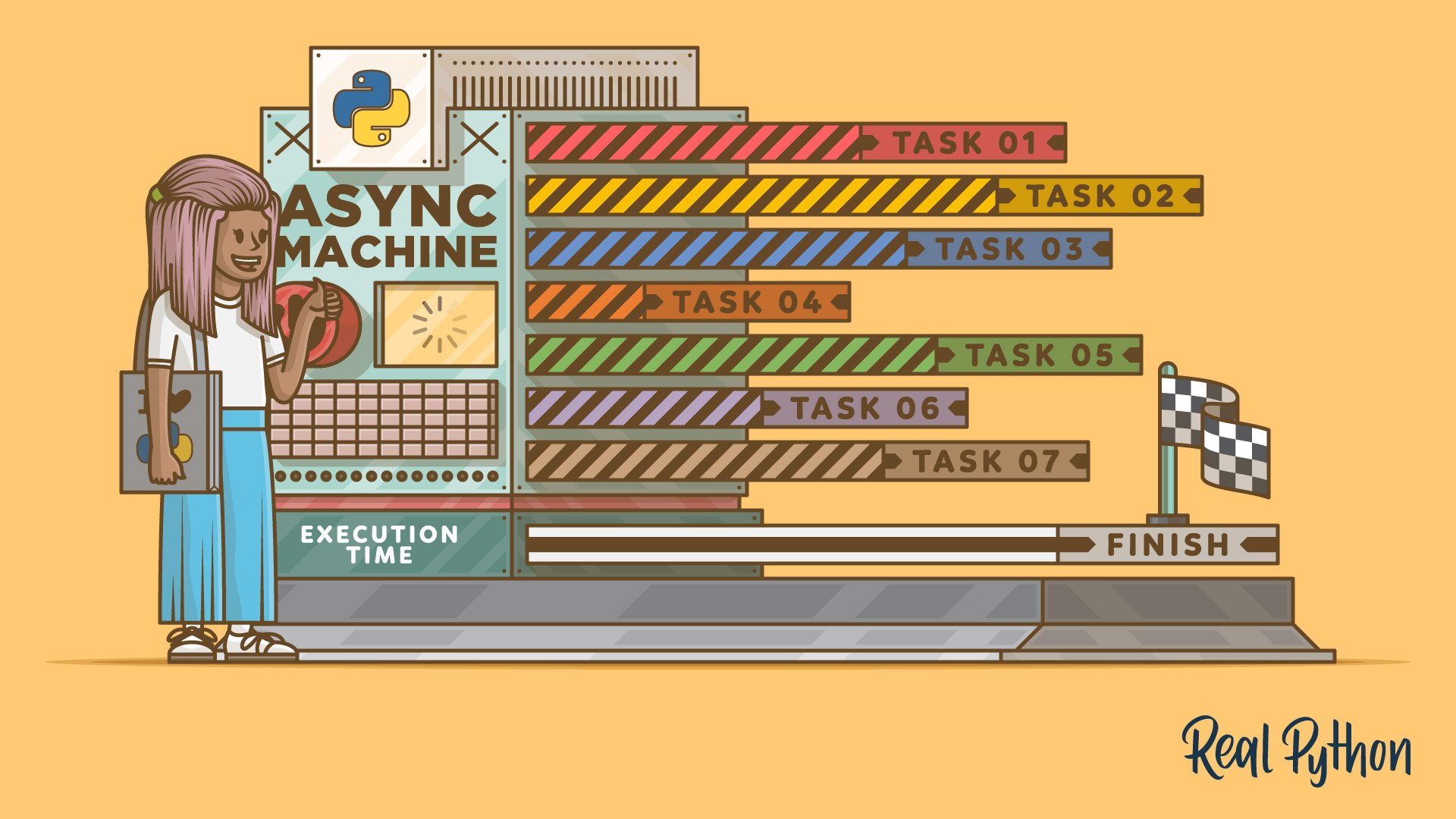
AI applications in general are pretty computationally intensive. Especially those multi-agent and multi-tool workflows that work in real-time to fetch and process data while talking to LLMs. Instead of waiting for each operation to complete sequentially, incorporating async programming can allocate resources like CPU and GPU time more efficiently between multiple tasks.
In this post, we will look at one such example.
Note: You must carefully consider your stack before starting because not all Python libraries support async operations out of the box.
Add necessary imports along with the asyncio library.
import asyncio
from operator import add
from typing_extensions import TypedDict, Annotated

from langgraph.graph import StateGraph, START, END
Then we create a simple state that just concatenates messages between graph nodes.
class State(TypedDict):
    message: Annotated[str, ..., add]
Creating nodes and adding some delays in a few of them - simulating real-world scenarios.
async def node_1(state: State):
    await asyncio.sleep(2)
    return {'message': 'node_1 -> '}

async def node_2(state: State):
    await asyncio.sleep(3)
    return {'message': 'node_2 -> '}

async def node_3(state: State):
    return {'message': 'node_3 -> '}

async def node_4(state: State):
    await asyncio.sleep(1)
    return {'message': 'node_4'}
Then we build our graph and compile it.
graph_builder = StateGraph(State)
graph_builder.add_node(node_1)
graph_builder.add_node(node_2)
graph_builder.add_node(node_3)
graph_builder.add_node(node_4)

graph_builder.add_edge(START, "node_1")
graph_builder.add_edge("node_1", "node_2")
graph_builder.add_edge("node_1", "node_2")
graph_builder.add_edge("node_1", "node_3")
graph_builder.add_edge("node_3", "node_4")
graph_builder.add_edge("node_2", "node_4")
graph_builder.add_edge("node_4", END)

graph = graph_builder.compile()
The resulting graph will look something like this:
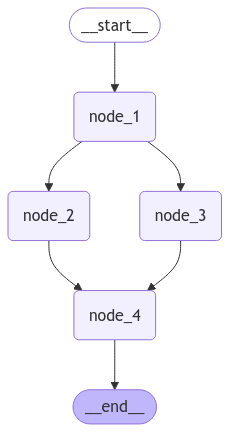
Executing a single invocation takes 6 seconds.
# takes 6 seconds
await graph.ainvoke({"message": "START -> "})
{'message': 'START -> node_1 -> node_2 -> node_3 -> node_4'}
Executing multiple invocations takes nearly 6 seconds too!
# 6 invocation takes 6 seconds too!
tasks = [graph.ainvoke({"message": "START -> "}), graph.ainvoke({"message": "START -> "}),
         graph.ainvoke({"message": "START -> "}), graph.ainvoke({"message": "START -> "}),
         graph.ainvoke({"message": "START -> "}), graph.ainvoke({"message": "START -> "})]

await asyncio.gather(*tasks)
[{'message': 'START -> node_1 -> node_2 -> node_3 -> node_4'},
 {'message': 'START -> node_1 -> node_2 -> node_3 -> node_4'},
 {'message': 'START -> node_1 -> node_2 -> node_3 -> node_4'},
 {'message': 'START -> node_1 -> node_2 -> node_3 -> node_4'},
 {'message': 'START -> node_1 -> node_2 -> node_3 -> node_4'},
 {'message': 'START -> node_1 -> node_2 -> node_3 -> node_4'}]
 Doug Farrell